When you need a resin 3D printer that can handle large models or multiple parts in a single print, these top picks offer substantial build volumes, solid stability, and reliable performance. This guide highlights 5 options ideal for industrial prototyping, professional studios, and serious hobbyists who demand generous print areas without sacrificing detail. Each entry explains who it’s best for and why it stands out, with practical cautions where applicable.
Buyer summary table:
| Product | Best For | Approx. Build Volume | Why It Stands Out |
|---|---|---|---|
| UniFormation GK3 Ultra | Pro studios, large models | 300 × 160 × 300 mm | Ultra-large build area with 16K resolution and automatic resin heating |
| ELEGOO Saturn 4 Ultra 16K | Detail-focused large prints | Approx. 8.33 × 4.66 × 8.66 in | 16K resolution, smart tank heating, AI monitoring |
| Creality Halot-X1 Combo | All-in-one large projects | 8.33 × 4.66 × 7.87 in | 11.1″ LCD, intelligent resin management, auto leveling |
| Large Format Sonic XL 4K | Professional minis and big-scale parts | 190 × 120 × 200 mm | 4K LCD with ParaLED, solid speed |
| ANYCUBIC Photon P1 | Dual-color/material experiments | 8.78 × 4.96 × 9.05 in | Stable ball screw design, auto leveling |
UniFormation GK3 Ultra 13.5-Inch Large Resin Printer
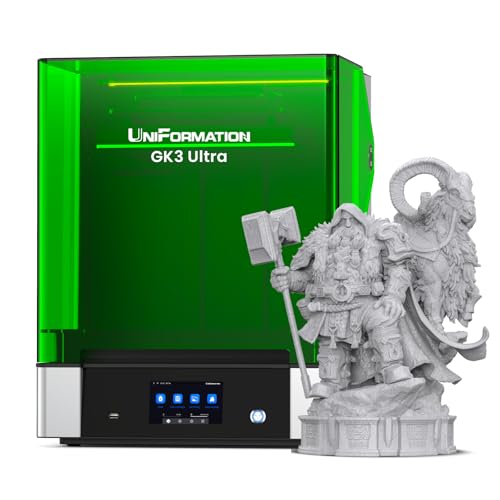
Best for: Industrial prototyping and large-object production runs. The GK3 Ultra offers a substantial build volume of 300 × 160 × 300 mm, letting you print large parts or multiple components in one go. A 16K LCD and fine 20 × 26 μm pixels deliver sharp details suitable for professional models, tooling, and visible prototypes.
Why selected: It combines a big build area with precise Z-axis stability (±0.003 mm positioning) and a built-in heating system that automatically warms resin to 25–30°C, improving consistency in cold environments. This makes it a strong choice for studios that operate in cooler spaces or need consistent resin flow for high-volume work.
Caution: Larger prints take longer and require careful post-processing; ensure your workspace supports longer cure times and larger curing areas.
ELEGOO Saturn 4 Ultra 16K Resin Printer

Best for: Users chasing ultra-high detail on larger scales. The Saturn 4 Ultra uses a 16K mono LCD for exceptionally smooth surfaces and textures, making it ideal for detailed figurines, miniatures, and precision parts.
Why selected: Smart tank heating maintains a stable 30°C resin temperature to improve flow and adhesion, reducing defects like bubbles. An AI camera with live monitoring helps you catch issues early, and the time-lapse feature assists with sharing progress. Caution: AI results may vary with environmental conditions and resin types.
Creality Halot-X1 Combo Resin Printer

Best for: Enthusiasts who want high-resolution, fast production with smart resin handling. The Halot-X1 Combo features a 10.1″ 16K mono LCD and rapid 170 mm/h printing, plus intelligent resin management for automated resin heating and RFID-assisted parameters.
Why selected: The fixed build plate paired with smart exposure and layout optimization helps reduce misprints and improve durability. It’s a robust choice for users who value automation and a streamlined workflow in a single, large-format setup. Caution: Setup and initial calibration may require attention to resin parameters and software alignment.
Large Format Sonic XL 4K Resin Printer

Best for: Professionals seeking a true large-format resin print capability with solid 4K detail. The Sonic XL 4K offers a large physical footprint that enables bigger miniatures, jewelry engravings, and dental models with crisp definition.
Why selected: The device uses a monochrome 4K LCD with ParaLED 3.0 for uniform light and a detailed surface finish. It balances fast print speeds (up to 90 mm/h) with high-resolution output. Caution: The build volume is substantial, so ensure appropriate ventilation and post-processing space.
ANYCUBIC Photon P1 Resin Printer (Stability and Dual-Color)

Best for: Makers exploring dual-color or dual-material prints at a moderate build size. The Photon P1’s stability features and upgrade-friendly design make it suitable for projects requiring color or material variety without moving to a much larger system.
Why selected: Its ball-screw-driven stability reduces wobble for smoother lifting and better detail. Auto-leveling and Wave Release Technology help simplify operation and improve success rates. Caution: For extremely large multi-color prints, some users may prefer bigger formats with dedicated resin management.
Buying Guide: How to choose a large-build-area resin printer
- Build volume vs. footprint: Consider whether you need truly large parts or the ability to print multiple smaller parts per job. Larger volumes boost production capacity but require more curing space and ventilation.
- Resolution and detail: Look for high-resolution LCDs (preferably 16K or equivalent) if your models demand fine textures and smooth surfaces.
- Resin management: Smart heating, automated resin feeding, and RFID or AI monitoring can reduce waste and failed prints in busy workflows.
- Stability and accuracy: A robust Z-axis system and precise leveling prevent layer lines and shifting, which is critical for large prints.
- Ease of use: Auto-leveling, built-in cameras, time-lapse features, and reliable software simplify operation and reduce setup time.
- Post-processing needs: Large prints require ample curing space and proper ventilation; factor in workspace requirements and safety.
- Support and compatibility: Ensure that the printer supports the resins you plan to use and that replacement parts or service are accessible in your region.
Frequently Asked Questions
- What defines a large-build-area resin printer? A printer with a measurable build volume significantly larger than entry-level models, enabling bigger single prints or multiple parts per job.
- Is higher resolution always better for large prints? Higher resolution improves surface quality, but may increase print time; balance needs against project requirements.
- Do large resin printers require special ventilation? Yes. Large-volume prints can emit more fumes; ensure adequate ventilation and adhere to safety guidelines.
- Can I switch resins easily on these printers? Most models support standard resins, but verify resin compatibility and tank maintenance requirements before changing product lines.
- What maintenance helps preserve large-format performance? Regular calibration, resin tank cleaning, and timely replacement of wear parts improve consistency and reduce failures.
- Which printer is best for dual-color or multi-material printing? Models advertising dual-color or dual-material capability (such as Photon P1 variants) are designed for this, but check resin handling and software support for your specific use case.