Choosing the right industrial all-in-one PC with a touch screen depends on durability, connectivity, and performance for your workflow. This guide highlights five practical options suited to harsh environments, factory floors, kiosks, and automation setups. Each entry includes who it’s best for and why, plus a quick comparison to help you decide.
| Product | Screen Size / Type | CPU / RAM / Storage | Best For | Limitations |
|---|---|---|---|---|
| OuuOee All-in-One Panel PC 15.6″ | 15.6″ FHD Touch | N5095 / 8GB / 128GB | Rugged industrial environments and data-heavy tasks | Fanless; may require external peripherals for certain software |
| 15.6″ All-in-One Desktop PC Win11 Pro | 15.6″ FHD Touch | N5095 / 8GB / 128GB | Office automation, kiosks, and warehousing | 360° rotation features; may be overkill for simple tasks |
| 15.6″ All-in-One Android Panel PC RK3399 | 15.6″ FHD Touch | RK3399 / 4GB / 64GB | Glove-friendly environments and rapid deployment | Android platform may limit desktop-style software |
| All-in-One 13.3″ Panel PC N5095 | 13.3″ FHD Touch | N5095 / 8GB / 128GB | Compact spaces with robust I/O | Smaller screen may suit compact installs |
| OuuOee 21.5″ Android Panel PC RK3399 | 21.5″ FHD Touch | RK3399 / 4GB / 64GB | Wall-mounted kiosks and large-display applications | Android; consider app compatibility for critical software |
OuuOee All-in-One Panel PC 15.6″ Industrial Touchscreen

Best for: Industrial environments needing a rugged, fanless PC with Windows 11 Pro. The Celeron N5095 processor, 8GB RAM, and 128GB storage support multitasking in tough settings. The 15.6″ Full HD display with 10-point capacitive touch allows glove use and wet-hand operation. Cautions: Ensure compatible software runs smoothly on Windows 11 Pro and plan for heat dissipation in extreme conditions.
15.6″ All-in-One Desktop PC Win11 Pro Industrial
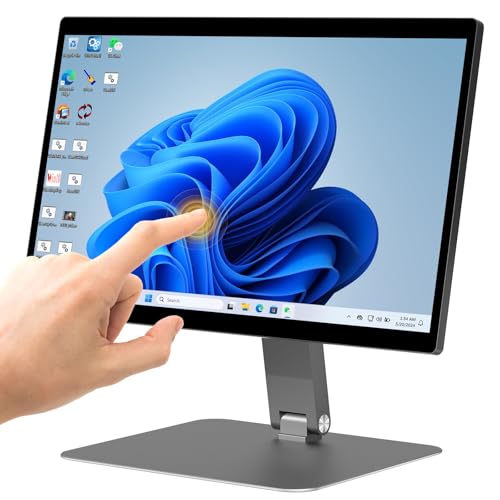
Best for: Office-to-factory transitions where a fixed, integrated touch-enabled computer is desired. Features include a 15.6″ FHD touchscreen, 10-point multi-touch, and an N5095 processor with 8GB RAM and 128GB storage. Choose this if you need flexible rotation and a compact footprint. Limitation: Rotating design may add mechanical wear considerations over long-term use.
15.6″ All-in-One Industrial Panel PC Android 12

Best for: Harsh environments requiring an Android-based interface with reliable touch (RK3399). The 15.6″ display, 4GB RAM, and 64GB storage support quick, sensor-driven tasks. Caution: Android app availability and updates may affect long-term software compatibility.
HIGOLE PC 13.3″ Panel PC With Touch

Best for: Compact installations needing robust, sealed hardware. The N5095 with 8GB RAM and 128GB storage runs Windows 11 Pro on a 13.3″ FHD display with a rugged, sealed design. Consider space constraints in mounting. Limitation: Smaller screen size may limit detailed visual work or complex interfaces.
OuuOee 15.6″ Android Panel PC RK3399

Best for: Space-limited setups needing Android 12 with a flexible 360° fold. The RK3399 processor provides smooth multitasking in a rugged touch environment. Caution: Android platform may limit access to certain desktop software; verify app compatibility before deployment.
HIGOLEPC 15.6″ Android/Win11 Pro Panel PC

Best for: Versatile environments needing both Windows and Android capabilities. The 15.6″ display, 8GB RAM, and 128GB storage support varied applications. Caution: When using Windows, ensure software licensing and device drivers are compatible with Win11 Pro on this hardware.
Buying Guide
- Display and touch: Consider screen size, IPS clarity, and 10-point capacitive touch for glove-friendly use. Larger screens aid visibility on busy floors; smaller screens fit tight mounting.
- Processor and memory: For industrial tasks, N5095-based units offer solid multitasking. If your software is resource-intensive, prioritize 8GB RAM and 128GB storage or more where available.
- Durability and enclosure: Fanless designs reduce dust intake and noise. Look for wide temperature ranges (-10°C to 55°C or better) and sealed enclosures for harsh environments.
- Connectivity: Ensure required interfaces (RS232, USB 3.0, HDMI, Ethernet, Type-C) are present. More ports enable easier peripheral expansion.
- Platform: Windows 11 Pro provides broad software compatibility; Android options excel in touch-first workflows. Choose based on software ecosystem and maintenance needs.
- Mounting and form factor: Pivot, 360° rotation, or wall-mount capabilities affect installation. Ensure the chosen model fits your space and accessibility requirements.
FAQ
- What is an industrial all-in-one PC touch screen?
A compact computer with an integrated display and touch input designed for harsh work environments, often featuring fanless cooling and robust connectivity. - Which is better for Windows software, Android, or both?
Windows provides broad software compatibility; Android offers simple, touch-centric interfaces. Choose based on your primary apps and maintenance model. - Do these devices support gloves or wet-hand use?
Most listed models use 10-point G+G capacitive touch and are designed for glove- or wet-work scenarios. - What mounting options should I expect?
Look for VESA compatibility, pivot or 360° rotation hinges, and wall or desk mounting options depending on space and workflow. - How important is RAM and storage in industrial use?
More RAM and storage support smoother multitasking, faster data handling, and longer-term software scalability in demanding environments. - Are RS232 ports common on these devices?
Yes, several models include RS232 ports for legacy peripherals and industrial equipment.